
-
Hi,
RE:
https://support.rankmath.com/ticket/elementor-update-button/page/3?view=allProblem is even worse now, the button is green upon page open and always green.

-
Hello,
Thank you for contacting Rank Math and sorry for any inconvenience that might have been caused due to that.
Are you using Rank math the latest update? Could you please deactivate Rank math and check if the issue is resolved? If the issue disappears on deactivating Rank math then we might need to take a closer look at the settings. Please edit the first post on this ticket and include your WP logins in the designated Sensitive Data section.
It is completely secure and only our support staff has access to that section. If you want, you can use the below plugin to generate a temporary login URL to your website and share that with us instead:
https://wordpress.org/plugins/temporary-login-without-password/
You can use the above plugin in conjunction with the WP Security Audit Log to monitor what changes our staff might make on your website (if any):
https://wordpress.org/plugins/wp-security-audit-log/
We really look forward to helping you.
Hi,
Your developers were looking into the issue???
Hello,
Yes, we released the 1.0.45 to fix those issues. If it is not fixed, could you share your login details as my colleague suggested on his message, so we can check it?
Looking forward to help you.
Hello,
I have updated the sensitive data as requested. Can you please check further?
Thank you.
Hi,
Two issues.
1. Publish button goes green on page open. However, if you then delete the Ultimate Addons For Elementor, Fancy Headings widget, the green button goes grey.
2. Open page, delete Fancy Heading widget, publish, go to close page, publish button goes green.
Hello,
This is likely unavoidable because some the scripts that are used for the SEO analysis run automatically when page content is changed such as, counting the length of your content, checking keyword density among others.
The fancy heading by Elementor addons is changing the page content which is being noted by SEO scripts and the checks activated which reads as a page update and therefore the reason the Update button goes green.
I’ll however consult with dev team and will let you know more about it.
Looking forward to helping you. Thank you.
Hi Stephen,
I am not able to access the URL and getting this error:
I am not able to check the issue.
Can you please provide access to a website where I can see the issue?
That’s strange. You guys claimed this once before. Cut and paste the link and I’m in, works no problem. Maybe try another browser?
I’m using the plugin you requested to give you access. Also, your dev team manage to login before and nothing has changed since.
Michael’s comment above seems odd. If you can’t save your work or have to click the green button 7-9 times in some cases then there is obviously a problem. Besides, delete the Fancy Heading and there is still a problem.
Hello,
I have tried in different browsers and I can’t enter, I have the same issue message. I think it is because the SSL certificate is not valid (are you using Cloudflare SSL there?). Could you check it so we can log in?
Looking forward to help you.
My apologies, this issue will be fixed this afternoon. Please try again this evening or tomorrow. Thanks
Hi Stephen,
We are so sorry for the delay in our response. We wanted to make sure we don’t miss anything and had to get this checked from our dev. team.
This seems to be an issue with the Elementor itself. Even after deactivating the Rank Math the button is getting activated when we change the tab in Elementor.
Please check this screencast:Hope that helps and please do not hesitate to let us know if you need our assistance with anything else.
Hello,
Thank you for your patience.
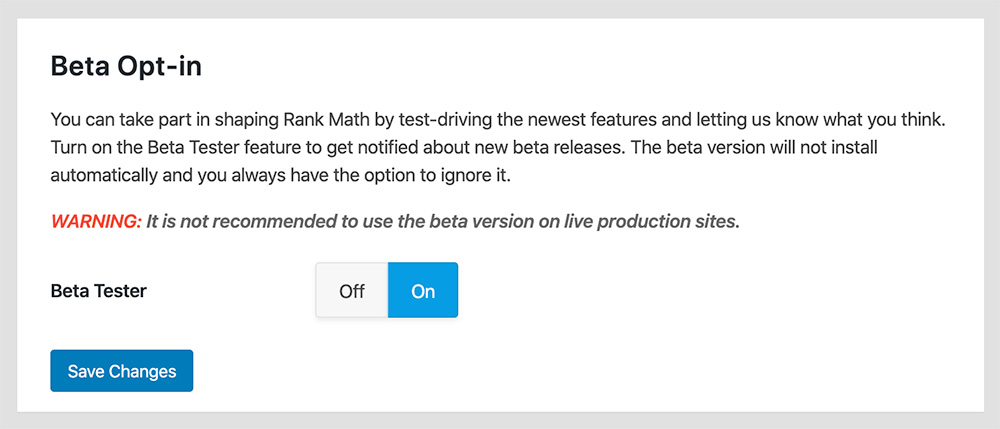
We released a quick Beta update you can try to see if that helps.
Please enable the Beta update by following this:
https://rankmath.com/kb/version-control/#beta-updates
https://rankmath.com/wp-content/uploads/2020/02/Rank-Math-Beta-Testing.jpgIf you are unable to see an update, please clear Rank Math’s transients from:
WP Dashboard >> Rank Math >> Status & Tools >> Database Tools >> Remove Rank Math Transients >> Remove transients
https://i.rankmath.com/Pbu5J6Please clear the caches from the server and WordPress after updating.
You can disable the Beta updates once you update to the latest version and the issue is fixed.
Hope that helps.
Hello,
Since we did not hear back from you for 15 days, we are assuming that you found the solution. We are closing this support ticket.
If you still need assistance or any other help, please feel free to open a new support ticket, and we will be more than happy to assist.
Thank you.



The ticket ‘Elementor Publish still Green’ is closed to new replies.