Hello,
Thank you for contacting Rank Math, and sorry for any inconvenience caused.
Can you please share a screenshot of Raw Response from the Indexing API?
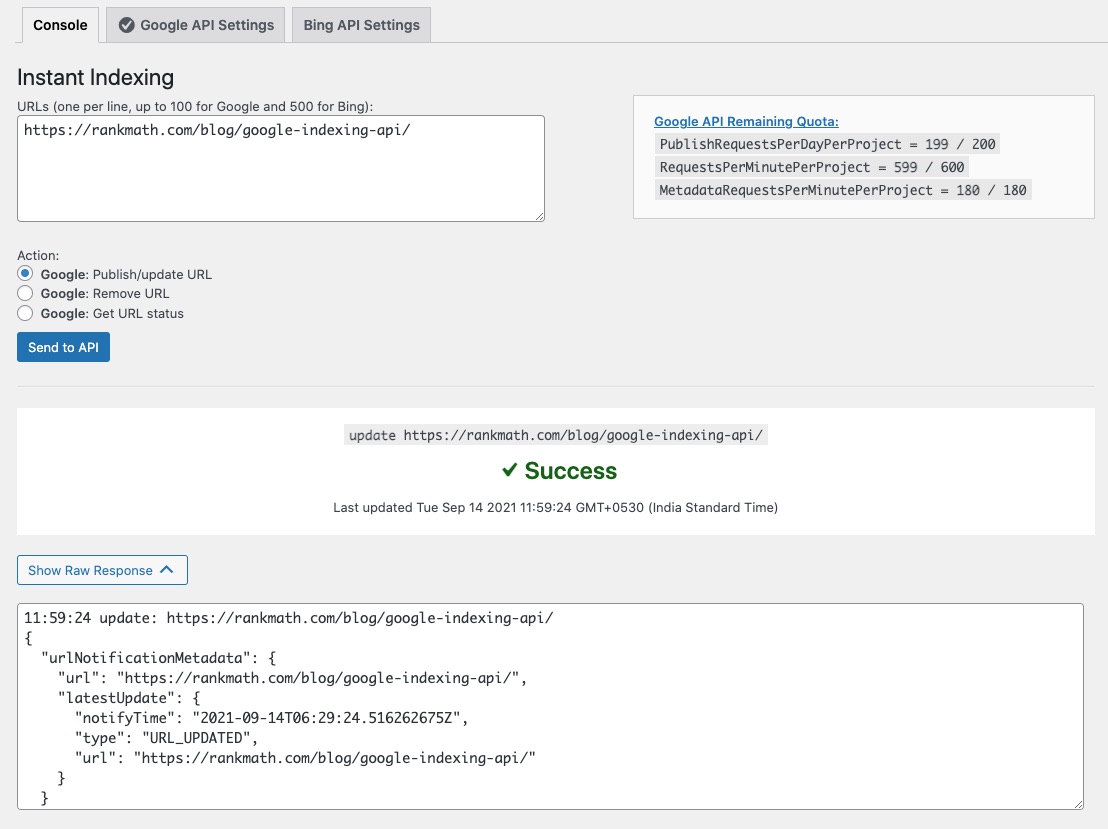
Click on Send to API and then click on the Show Raw Response button.
We look forward to helping you.
Hello,
5xx errors are usually caused due to server misconfiguration or other server issues.
Can you please share the error log with us?
Having an error log will help us determine what is causing the error on your website.
You can follow this guide to enable debugging in WordPress
https://wordpress.org/support/article/debugging-in-wordpress/ or you can get in touch with your web host, they will help you locate the log file.
We really look forward to helping you.
Hello,
The error in the error log is for the missing tables, however, that should not affect the instant indexing.
Please remove the Instant Indexing plugin, reinstall and configure it again.
https://rankmath.com/blog/google-indexing-api/
To fix the error in the error log, please follow this guide:
https://rankmath.com/kb/recreate-missing-database-tables/
Hope this helps.
We look forward to helping you.
what do you mean by configure it again. I generate the API key again and do the whole process again on google cloud console.
Hello,
This is a tried and tested method and we are certain these instructions work. It is possible that you missed a step or incorrectly chose some option.
We would request you go through the steps once again.
If the issue persists, we might need to take a closer look at the settings. Please edit the first post on this ticket and include your WordPress login in the designated Sensitive Data section.
Please do take a complete backup of your website before sharing the information with us.

It is completely secure and only our support staff has access to that section. If you want, you can use the below plugin to generate a temporary login URL to your website and share that with us instead:
https://wordpress.org/plugins/temporary-login-without-password/
You can use the above plugin in conjunction with the WP Security Audit Log to monitor what changes our staff might make on your website (if any):
https://wordpress.org/plugins/wp-security-audit-log/
We really look forward to helping you.
Hello,
I have updated the sensitive data as requested. Can you please check further?
Thank you.
Please my query solve as soon as possible.
Hello,
We checked for conflicts on your website but the issue persists when only the Instant Indexing plugin is active. So, it looks like the plugin is not configured correctly or you missed some steps during the setup.
Please remove the Instant Indexing plugin, create a new API key and configure the plugin again by following each step in this guide:
https://rankmath.com/blog/google-indexing-api/
If the issue persists, please add the FTP login details in the sensitive data section.
We look forward to helping you.
My website instant indexing problem is fixed.
Thank you Rank Math Support Team
Hello,
We are super happy that your issue is resolved.
If you have any questions in the future, please feel free to create a new forum topic, and it will be our pleasure to assist you again.
Thank you.



