Either “offers”, “review”, or “aggregateRating” should be specified

#442005
  • Resolved Ajeet Singh
    Rank Math free

    HI

    Recently I was using Yoast seo with woocommerce products and it was working fine without any error

    I decided to move from yoast seo to Rankmath and after that I am facing error in google search console

    “Either “offers”, “review”, or “aggregateRating” should be specified”

    For example plese see the below url
    https://katchnow.com/product/light-foldable-electric-treadmill-india-2022/

    Not even this url is effected but my all worocommerce proucts url is effected with error and this is critical error showing in my google search console

    May you plese solve out this problem because it was working fine with yoast seo but why it is giving error in Rankmath ??????

    Thanks

Viewing 3 replies - 1 through 3 (of 3 total)
  • Hello,

    Thank you for contacting Rank Math and bringing your concern to our attention. I’m sorry for any inconvenience this issue may have caused you.

    Rank Math takes the schema data from your product pages automatically and turns it into Schema-ready content. Likewise, the aggregateRating and review fields are taken from your actual product reviews that your buyers/customers leave on your products.

    Here’s a link for more information:
    https://rankmath.com/kb/either-offers-review-or-aggregaterating-should-be-specified/#offers-review-aggregateRating

    Your products need to have reviews or ratings or offers(price) to fix the error. Once you have included at least one of them, then the error will become a warning only.

    You can also check this Google guideline for using the Product schema:
    https://developers.google.com/search/docs/advanced/structured-data/product#product-properties

    I hope that helps.

    Thank you.

    Hi

    I set remove snippet data in title/meta in RANK Math Setting

    may you pls help

    Hello,

    I’ve checked the product page, but it seems that there’s still a product schema being applied.

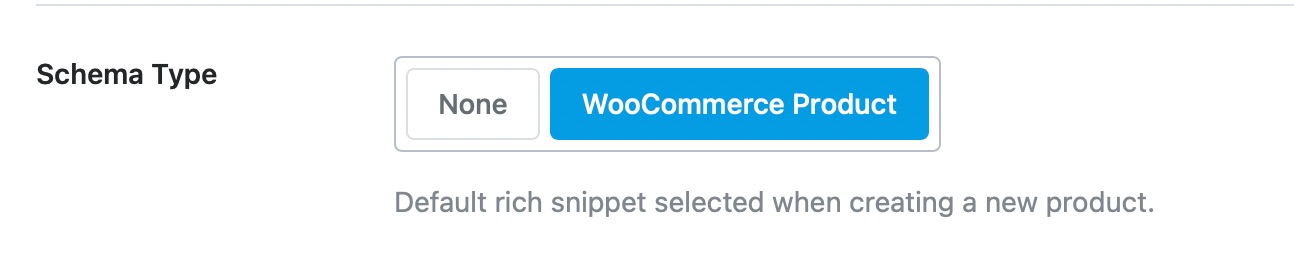
    If you wanted to disable the product schema, set this option to None in Rank Math > Titles & Meta > Product:

    Schema

    Once done, clear your website’s cache and check again.

    I hope that helps.

    Thank you.

    Hello,

    Since we did not hear back from you for 15 days, we are assuming that you found the solution. We are closing this support ticket.

    If you still need assistance or any other help, please feel free to open a new support ticket, and we will be more than happy to assist.

    Thank you.

Viewing 3 replies - 1 through 3 (of 3 total)

The ticket ‘Either “offers”, “review”, or “aggregateRating” should be specified’ is closed to new replies.