Hello,
Thank you for contacting Rank Math support, and sorry for any inconvenience that might have been caused due to that.
Please ensure that you have verified the correct version of your website on the Google Search Console (http or https, www or non-www).
Also, please make sure that the Google account you used to connect your Google Search Console profile is the same one you have used to verify your domain on GSC.
Looking forward to helping you.
Thank you.
Hello,
Thank you for contacting Rank Math for help with connecting Google Analytics to your website.
Please may you try reconnecting your Analytics by doing the following: Go to WordPress dashboard > Rank Math > General Settings > Analytics and click “Reconnect”
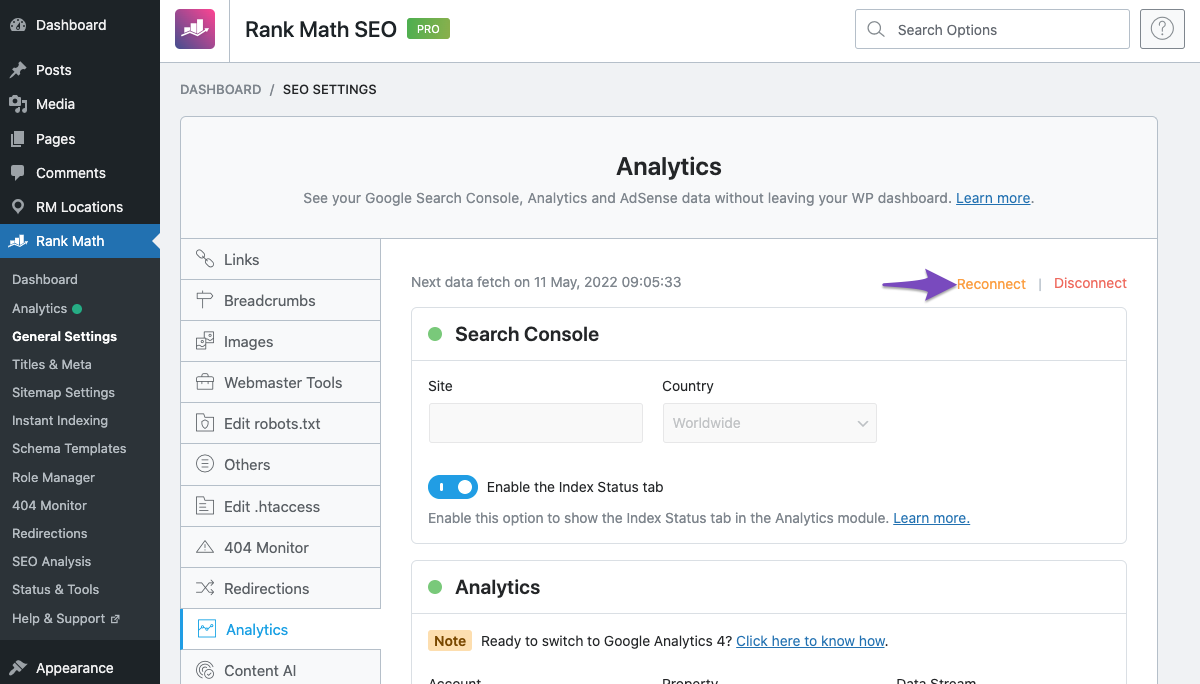
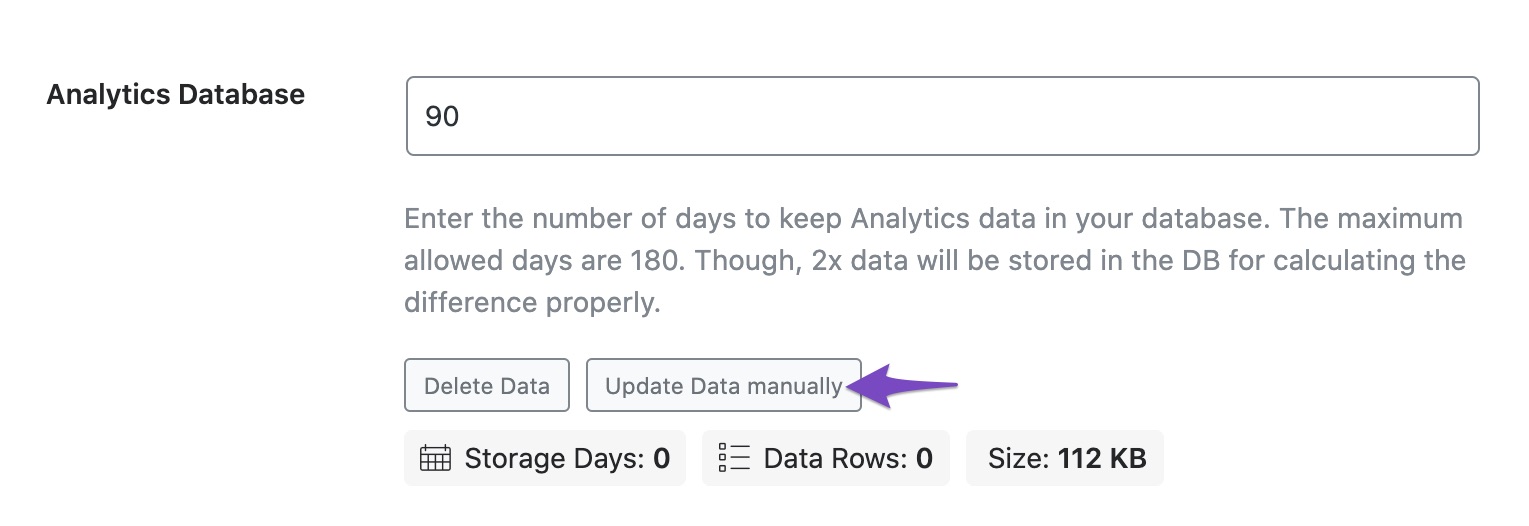
Once you’ve connected and configured Analytics settings, Rank Math will start fetching the data. If the data fetch doesn’t happen on its own, choose Update Data Manually.
Hope that helps. Please let us know if you have questions.
I didn’t change anything, but looks like it’s solved. Thanks!
Hello,
We are super happy that your issue is resolved.
If you have any questions in the future, please feel free to create a new forum topic, and it will be our pleasure to assist you again.
Thank you.



