Hello,
Thank you for contacting the support, and sorry for any inconvenience that might have been caused due to that.
If you were using the AIO Seo plugin and installed the Rank Math plugin, and you want to import the settings from the Aio plugin?
If you had already tried when you ran the Rank Math setup and somehow it went wrong, You can still Import & Export the settings.
Head over to Rank Math > Status & Tools inside your WordPress Dashboard.
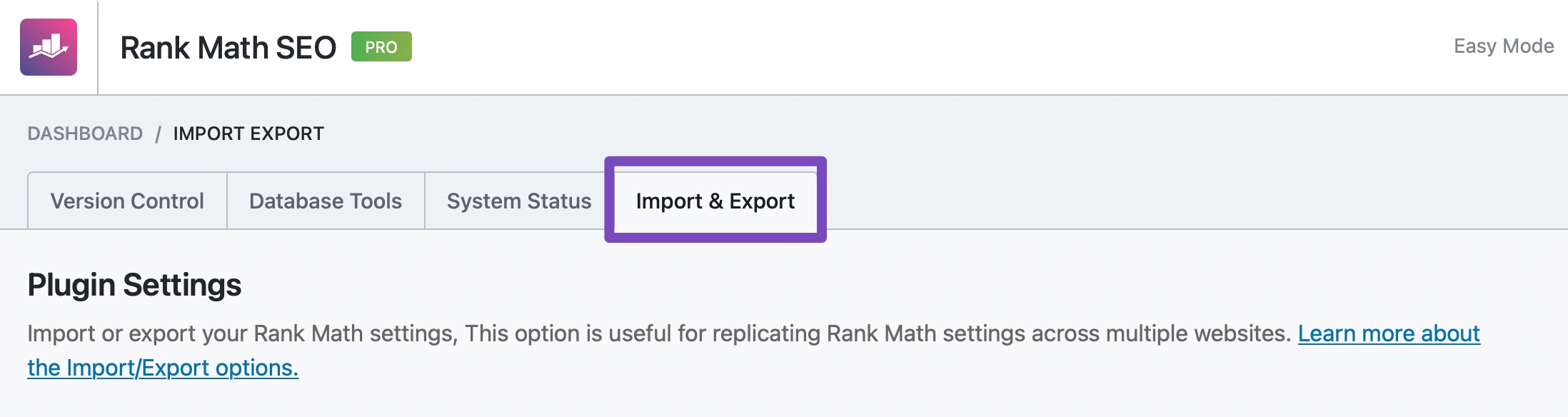
The Import & Export Dashboard will then be displayed. In the dashboard click on Import & Export tab.
Scroll down a bit and find the Other Plugins section. You can find the All in One SEO tab here.
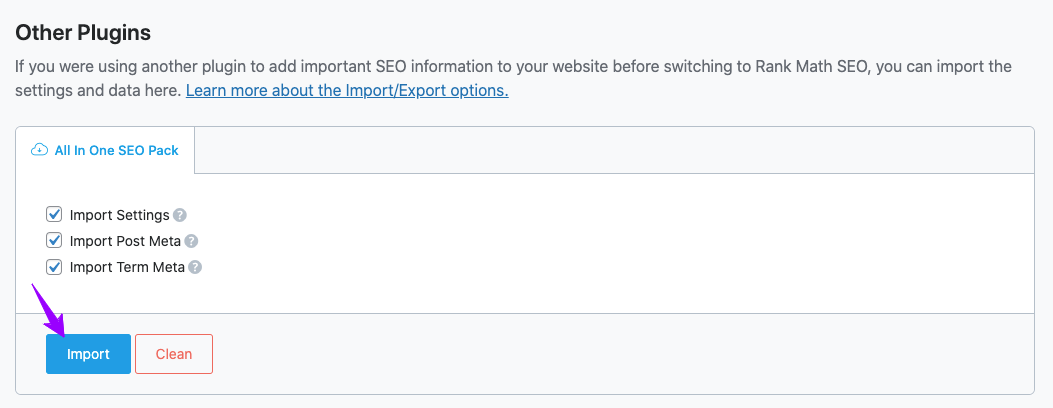
Click on Import. Once you click on Import, a small message will be displayed on the screen that requires your confirmation to import the settings. Click on OK.
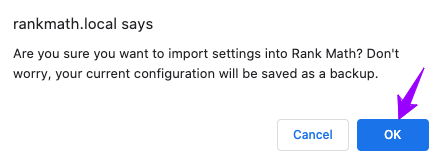
The import will then start within a fraction of seconds, and all your data will be successfully imported in Rank Math SEO.
Looking forward to helping you. Thank you.
Yes I know about how to get there. Rank Math doesn’t show AIO SEO as an option to import. That’s what I meant by it not “recognizing” its presence. So I don’t have the option to import AIO SEO. On the other sites I do, even though AIO SEO is active on all the sites. I even tried the Health Check & Troubleshooting plugin (https://wordpress.org/plugins/health-check/) and only had Rank Math and AIO SEO activated and it still didn’t see it.
Is there something I can run manually either via a URL or via WP CLI?
Thanks!
Hello,
We might need to take a closer look at the settings. Please edit the first post on this ticket and include your WordPress & FTP logins in the designated Sensitive Data section.
Please do take a complete backup of your website before sharing the information with us.

It is completely secure and only our support staff has access to that section. If you want, you can use the below plugin to generate a temporary login URL to your website and share that with us instead:
https://wordpress.org/plugins/temporary-login-without-password/
You can use the above plugin in conjunction with the WP Security Audit Log to monitor what changes our staff might make on your website (if any):
https://wordpress.org/plugins/wp-security-audit-log/
We really look forward to helping you.
Hello,
I have updated the sensitive data as requested. Can you please check further?
Thank you.
Hello,
Thanks for contacting us and we regret the inconvenience caused.
When AIOSEO updated their plugin to version 4.x.x they completely rewrote the code and the import function stopped working for multiple SEO plugins.
This is something our team is aware and we are working hard on making the necessary changes to support the import from this version as well, but at the moment we don’t have the function ready.
If you can downgrade to version 3.x.x of AIO, you should be able to import the data correctly to Rank Math.
Hope this helps solve your issue.
Don’t hesitate to get in touch if you require any further assistance.
Ok, I’ll give that a try. I’ll keep you posted.
Hello,
Thanks for your reply.
Sure, please let us know how that goes.
In the meantime, if you have another question, please feel free to reach out, and it will be our pleasure to assist you.
Thank you.
Ok, downgrading to the last version 3 of AIO SEO worked for allowing the import. Thanks!
Hello,
Glad that helped.
Please feel free to reach out to us again in case you need any other assistance.
We are here to help.
Thank you.



