Hello,
Thank you for contacting Rank Math and bringing your concern to our attention. I’m sorry for the delay and for any inconvenience this issue may have caused you.
Could you please also share the affected URL and some screenshots of the issue to investigate this issue further? You can use this tool as well.
However, here’s a link that can help you if your meta title and description are showing differently on the Google search results page:
https://rankmath.com/kb/different-meta-title-and-description/
I hope that helps. Thank you, and please don’t hesitate to contact us anytime if you need further assistance.
Hi, this is the affected URL: https://sosjuridico.info/ubicaci%C3%B3n/abogados-cdmx/
Also you can see it searching this in Google: sosjuridico.info site:sosjuridico.info
Please see the attached image: 
Hello,
Thank you for that additional information, and sorry for the delay.
I’ve checked the page’s source code, and it seems that the meta tag for your description is not added that’s why Google shows a bunch of HTML code to your description on the search results page. You can also use this tool to check.
You can add the meta description by editing the page and click the edit snippet button then type the meta description in the box
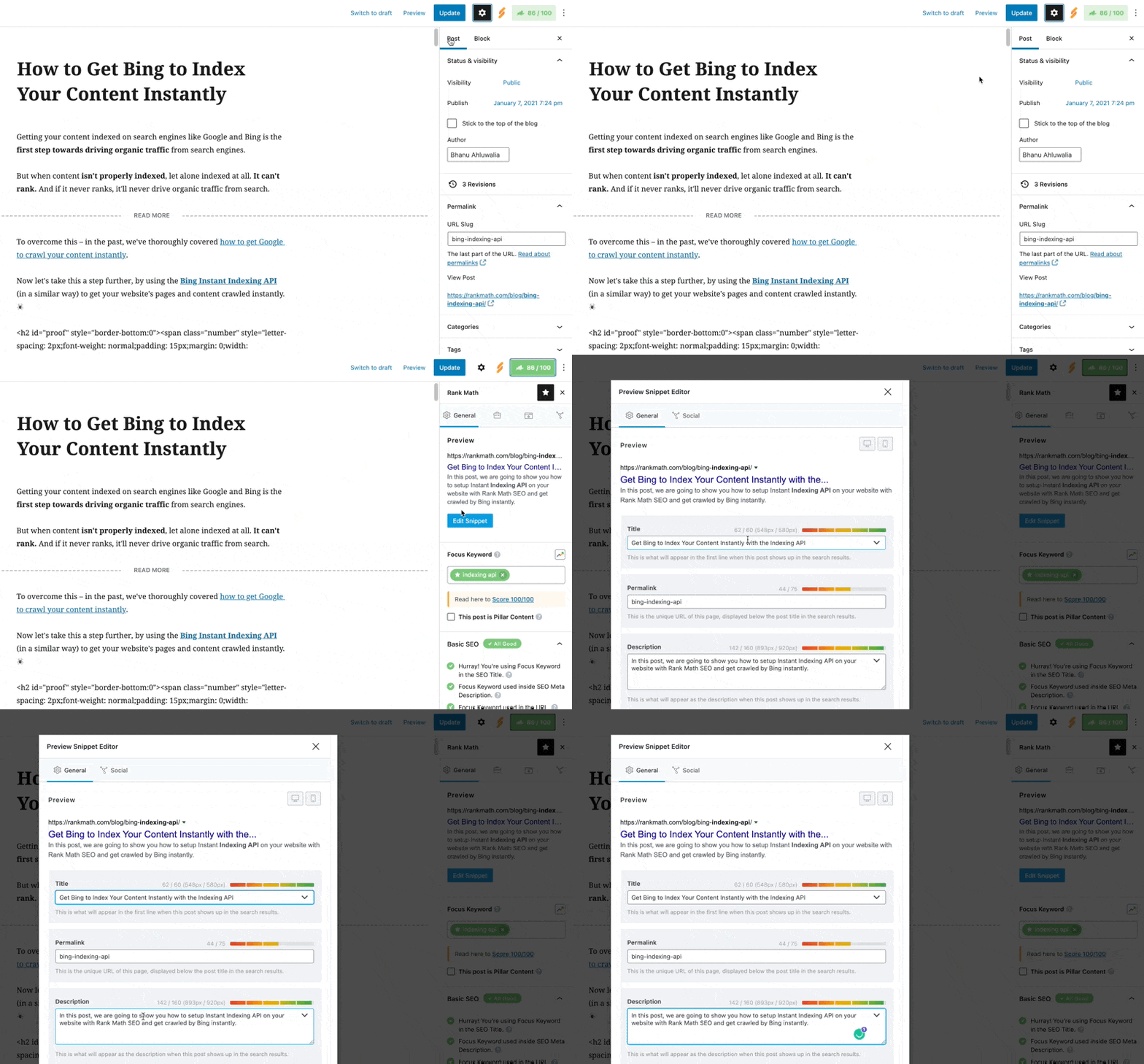
Here’s a screencast for your reference:
https://i.rankmath.com/W6yUIq
I hope that helps. Thank you, and looking forward to your update.
Hello,
Since we did not hear back from you for 15 days, we are assuming that you found the solution. We are closing this support ticket.
If you still need assistance or any other help, please feel free to open a new support ticket, and we will be more than happy to assist.
Thank you.



