Hello,
I apologize for the issue you are facing with the llms.txt link showing a 404 error. This can happen if the LLMS Txt module is not properly configured or if there are no items to display in the file. Here are a few steps you can take to troubleshoot this issue:
-
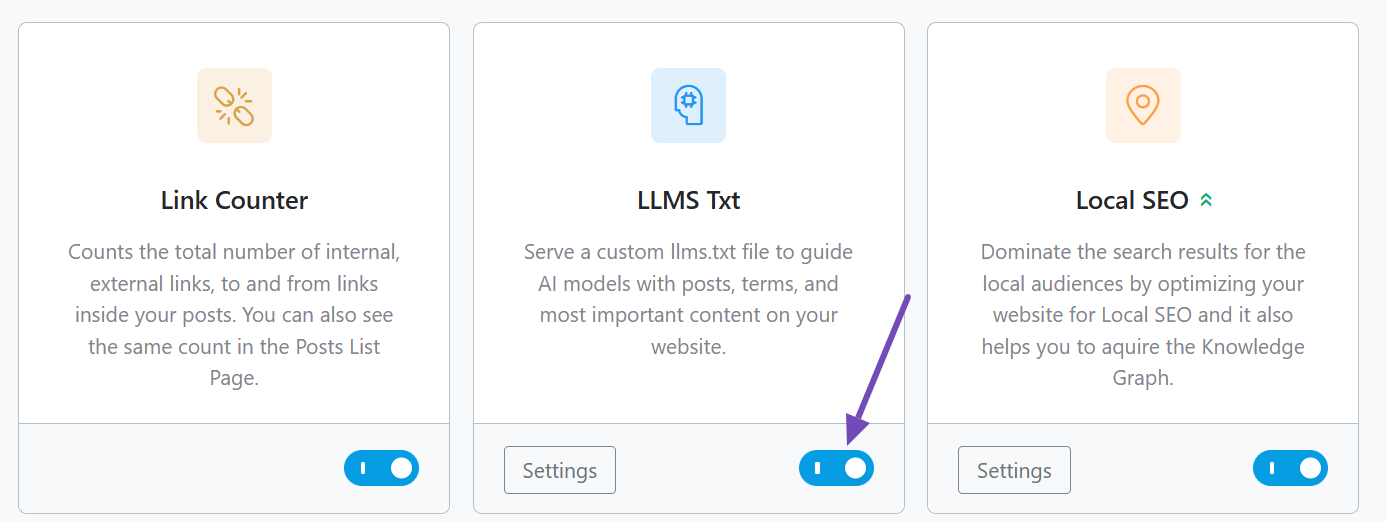
Enable the LLMS Txt Module: Ensure that the LLMS Txt module is enabled in your Rank Math settings. You can do this by going to Rank Math SEO → Dashboard and toggling the module on.
-
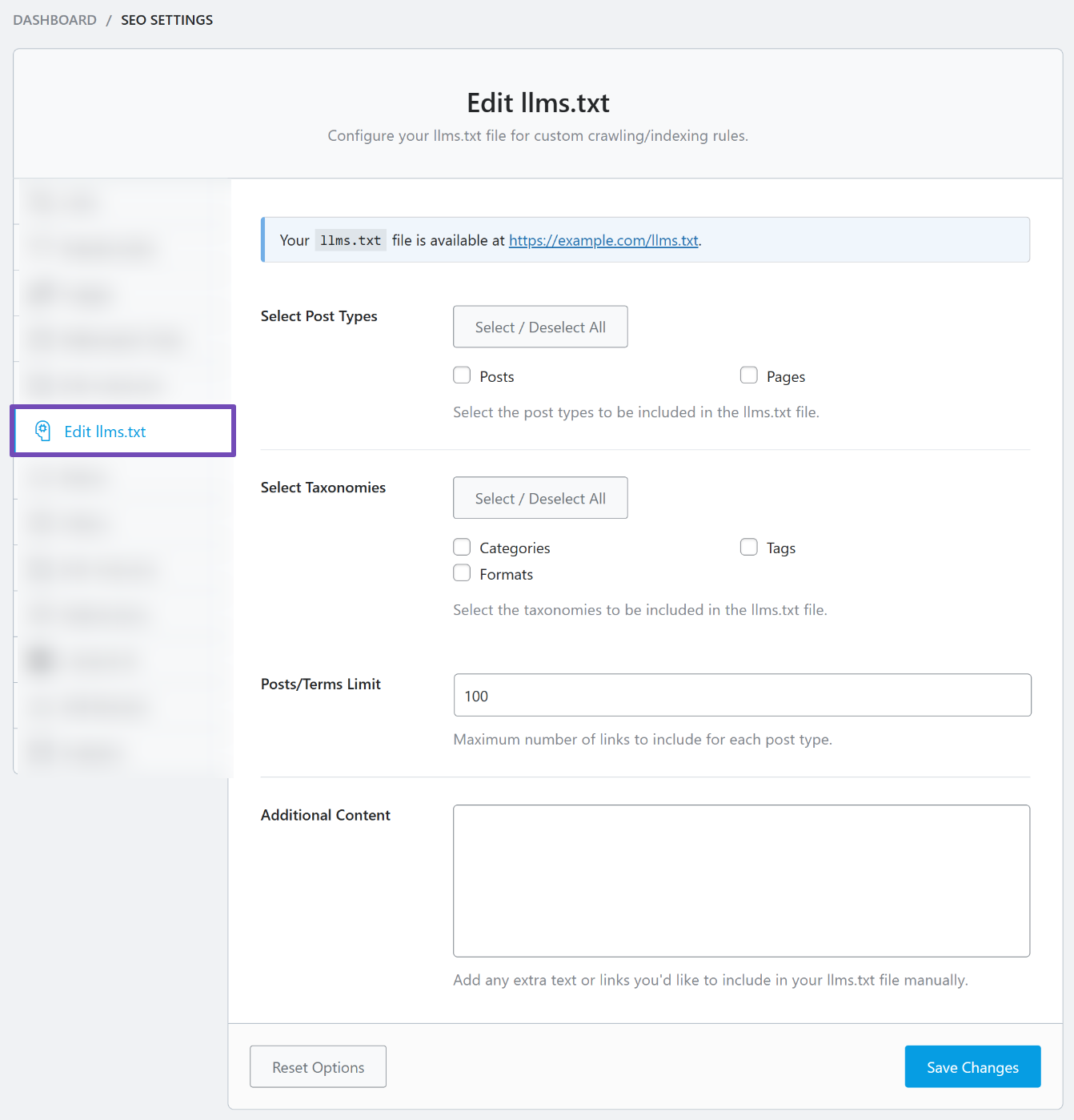
Configure the LLMS Txt Settings: After enabling, go to Rank Math SEO → General Settings → Edit llms.txt and configure the settings. Make sure to select the post types and taxonomies you want to include in your llms.txt file.
-
Save Changes: After configuring, make sure to click Save Changes at the bottom of the page.

-
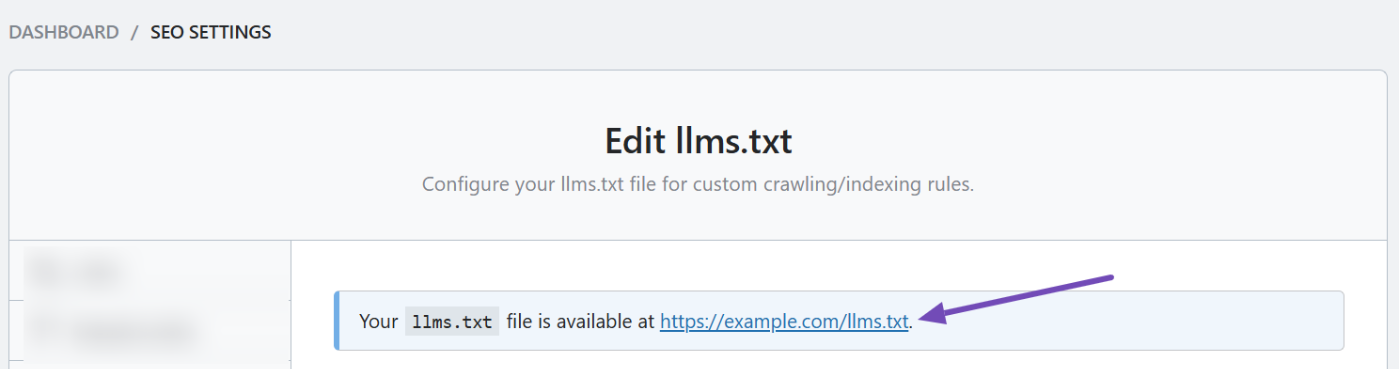
Preview Your llms.txt File: You can preview how your llms.txt file looks by clicking the preview link at the top of the Edit llms.txt tab. This will help you verify that everything is set up correctly.
If you have followed these steps and are still encountering issues, please reply to this ticket, and a human agent from our support team will assist you further.
Regarding your question about the Premium package for SEO and Speed at $9.99, it does include features for adding FAQ Schema markup on your pages and blog posts. This feature is part of Rank Math’s comprehensive schema support, which allows you to enhance your content with various schema types, including FAQ Schema.
If you need further assistance with setting up FAQ Schema or any other features, please let us know!
Thank you for reaching out, and we hope to resolve your issues soon!
Sources:
How to Use llms.txt in Rank Math SEO » Rank Math
Hello,
Thank you so much for getting in touch.
Regarding the llms.txt file returning a 404 error, this is typically related to server-side caching. Since your website appears to be using NGINX, we recommend contacting your hosting provider and requesting them to flush the NGINX cache and exclude caching for responses related to .txt files, including llms.txt. Once this is done, Rank Math should be able to generate and serve the llms.txt file correctly.
As for the FAQ Schema, it is indeed available in the Rank Math PRO plan. However, please note that it is not necessary or recommended to add FAQ Schema to all pages or blog posts. FAQ Schema should only be used on pages where relevant FAQ content is visible to users, in order to stay compliant with Google’s guidelines.
Don’t hesitate to get in touch with us if you have any other questions.
Hello,
Since we did not hear back from you for 15 days, we are assuming that you found the solution. We are closing this support ticket.
If you still need assistance or any other help, please feel free to open a new support ticket, and we will be more than happy to assist.
Thank you.



