
Moved from Yoast SEO, no sitemaps

#1127110
  • Hello,
    I m building a new website, and i wanted to remove Yoast SEO and replace it with Rank Math.
    Initially i have created to this website sitemaps with Yoast SEO, and now although i have setup everything correct in Rank Math, there are no sitemaps.

    I ve purged website’s cache and tried also to turn off the sitemap module and re-enable it but no result. I can not browse the sitemap that should appear at https://erijewels.gr/sitemap_index.xml.

    Is there anything else i can do ?

Viewing 2 replies - 1 through 2 (of 2 total)

  • Hello,

    We apologize for the issue you are facing with the sitemaps on your new website after moving from Yoast SEO to Rank Math. Here are some steps you can take to troubleshoot and resolve the issue:

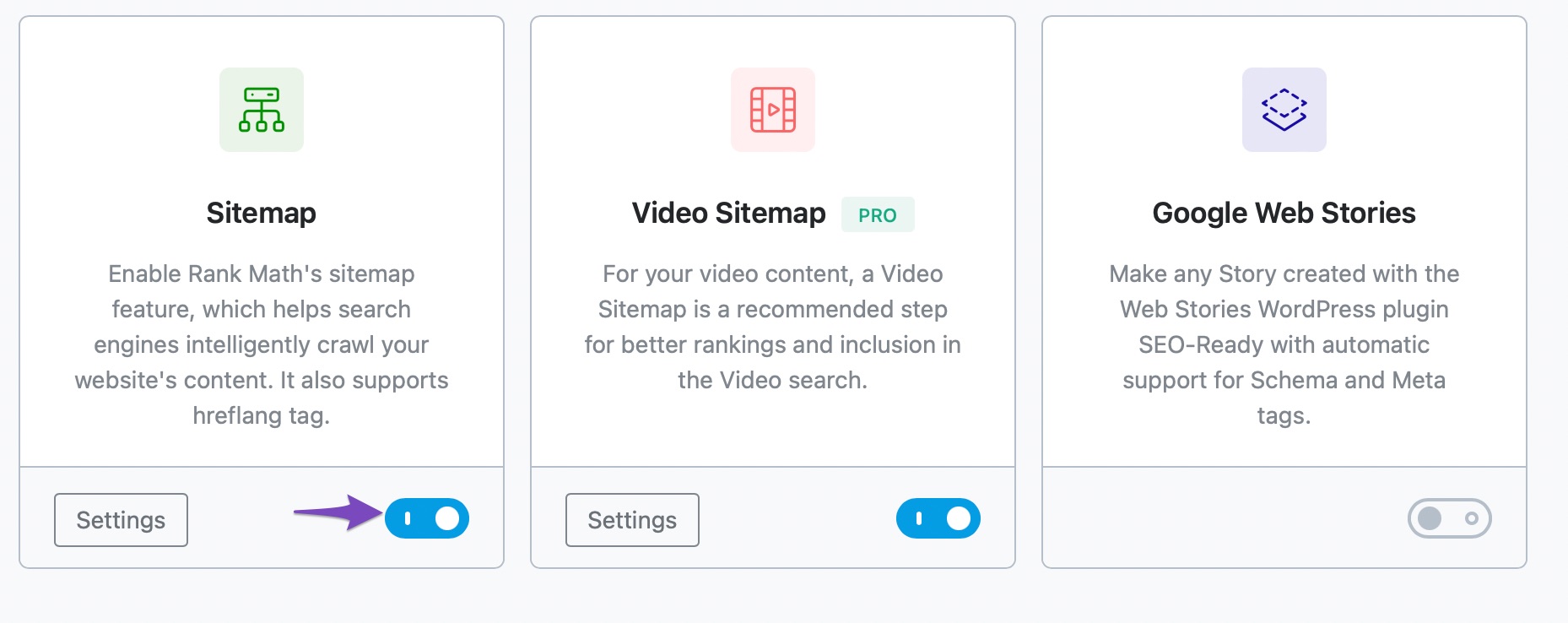
    1. Check Sitemap Module: Ensure that the Sitemap module is enabled in Rank Math. You can do this by going to Rank Math SEO → Dashboard and checking the Modules section.
      Enable Sitemap Module In Rank Math

    2. Sitemap Settings: Verify your sitemap settings by navigating to Rank Math SEO → Sitemap Settings. Make sure everything is configured correctly.
      You can refer to our article on configuring Sitemaps in Rank Math for guidance.

    3. Flush Permalinks: Sometimes, flushing the permalinks can help. Go to Settings → Permalinks and click Save Changes without making any changes. This refreshes the rewrite rules.

    4. Check for Plugin Conflicts: There might be a conflict with another plugin. You can use the Health Check plugin to identify any conflicts.

    5. Check .htaccess File: If you are using an Apache server, ensure that your .htaccess file has the correct rewrite rules for Rank Math sitemaps. You can learn more about editing your .htaccess file here.

    6. Caching Plugins: If you are using a caching plugin, make sure to exclude the sitemap files from being cached. You can find instructions on how to do that here.

    7. Validate Your Sitemap: Use a sitemap validation tool like XML Sitemap Validator to check if your sitemap is correctly configured.

    If you have tried all these steps and are still unable to access your sitemap, we recommend replying to this ticket with your website URL so that a human agent from our support team can assist you further.

    Thank you for raising this concern, and we hope to help you resolve it soon!

    Sources:
    Analyzing Your Site’s SEO with Rank Math’s SEO Analysis Tool
    Rank Math Sitemap Issues and Their Fixes » Rank Math
    Why the Sitemap_Index.xml is Throwing a 404 Error » Rank Math
    How To Exclude Rank Math Sitemaps from Caching » Rank Math
    Troubleshooting the “Couldn’t Fetch” Error in Google Search Console » Rank Math

    This is an automated reply from Rank Math Support Bot. Your ticket has been assigned to a human agent and we will get back to you shortly.

    Hello,

    We checked your sitemap, and we can see it is working properly without any issues.

    If you’re still facing the issue, please try clearing your website cache, including your browser cache, and check again.

    Let us know how it goes. Looking forward to helping you.

    Thank you.

Viewing 2 replies - 1 through 2 (of 2 total)
You must be logged in to reply to this ticket.