Hello,
We apologize for the issues you are facing with WPBakery Page Builder and Rank Math. It seems that when using the backend editor of WPBakery, the SEO content might not be recognized by Rank Math if it is not set up in a way that the plugin can access it.
Since your homepage is constructed using content blocks exclusively, it’s possible that Rank Math is unable to analyze or retrieve the SEO data from those blocks directly. To ensure that your SEO settings are correctly applied, you may want to check the following:
-
Edit Your Homepage Directly: Make sure to edit your homepage directly through the Rank Math Meta Box available in the WPBakery editor. You can do this by clicking on the Rank Math icon in the sidebar and ensuring that you fill out the Meta Title and Description fields.
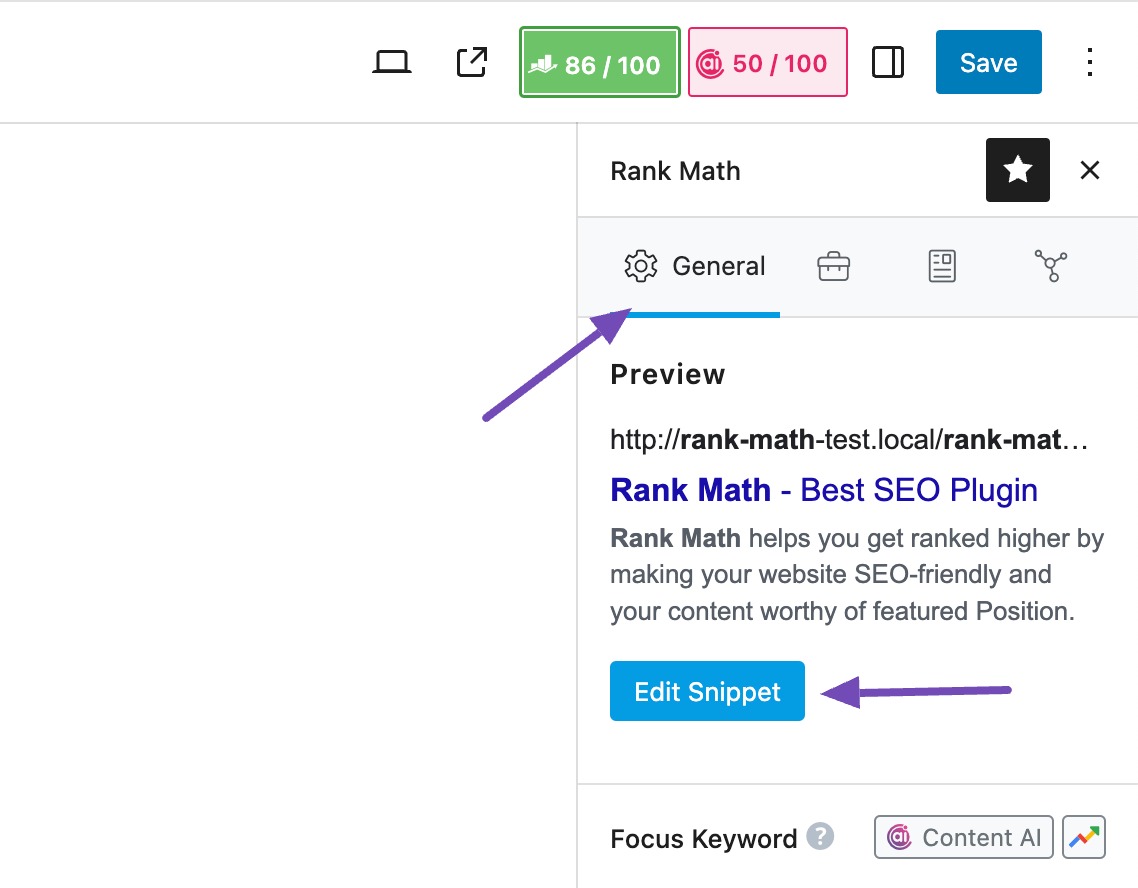
-
Check for Updates: Ensure that both Rank Math and WPBakery are updated to their latest versions, as updates often include fixes for compatibility issues.
-
Use the Classic Editor: If possible, try switching to the Classic Editor temporarily to see if that resolves the issue with SEO content recognition.
If you continue to experience problems, we recommend replying to your ticket with more details about your site setup, including the URL, so a human agent from our support team can assist you further.
Thank you for raising this concern! We’re here to help you get everything set up correctly.
Sources:
Homepage SEO Settings via Meta Title and Description
Thanks for the prompt reply. Can you advise how I cancel my subscription to RankMath Pro as it clearly will be of limited help with my seo on this and other sites that are similarly configured.
Hello,
Thank you for your query and we are so sorry about the trouble this must have caused.
If the homepage is created using WPBakery blocks on the backend, our plugin should still be able to read the content. Can you please share your website’s WP admin login with us so we can investigate the issue and advise further?
You can edit the first post on this ticket and include your WordPress login in the designated Sensitive Data section.
Please do take a complete backup of your website before sharing the information with us.

It is completely secure and only our support staff has access to that section. If you want, you can use the below plugin to generate a temporary login URL to your website and share that with us instead:
https://wordpress.org/plugins/temporary-login-without-password/
You can use the above plugin in conjunction with the WP Security Audit Log to monitor what changes our staff might make on your website (if any):
https://wordpress.org/plugins/wp-security-audit-log/
We really look forward to helping you.
Hi Jeremy,
Thanks for your reply. I’ve decided to cancel my subscription – as my message above. Can you cancel & refund please, or send me details how to do this directly?
Manny thanks
David
Hello,
Thank you for your patience.
We have already processed your request via the email you sent.
If you have further questions, please don’t hesitate to contact us anytime.
Looking forward to helping you.
Hello,
Since we did not hear back from you for 15 days, we are assuming that you found the solution. We are closing this support ticket.
If you still need assistance or any other help, please feel free to open a new support ticket, and we will be more than happy to assist.
Thank you.




