Hello,
I apologize for the issue you are facing with the Rank Math Analytics tab. It seems like there might be a connection problem between Rank Math and your Google account, or there could be an issue with the scheduled actions required for Analytics.
Here are a few steps you can take to troubleshoot this issue:
-
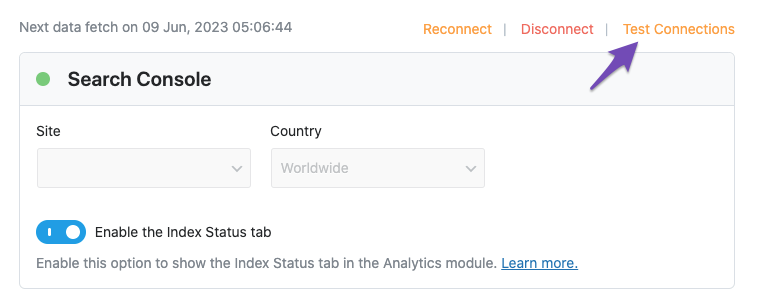
Test Connections: Go to Rank Math SEO → General Settings → Analytics and click on the Test Connections option. This will help you verify if Rank Math is properly connected to your Google account. A green signal indicates a valid connection, while a red signal indicates an issue.
-
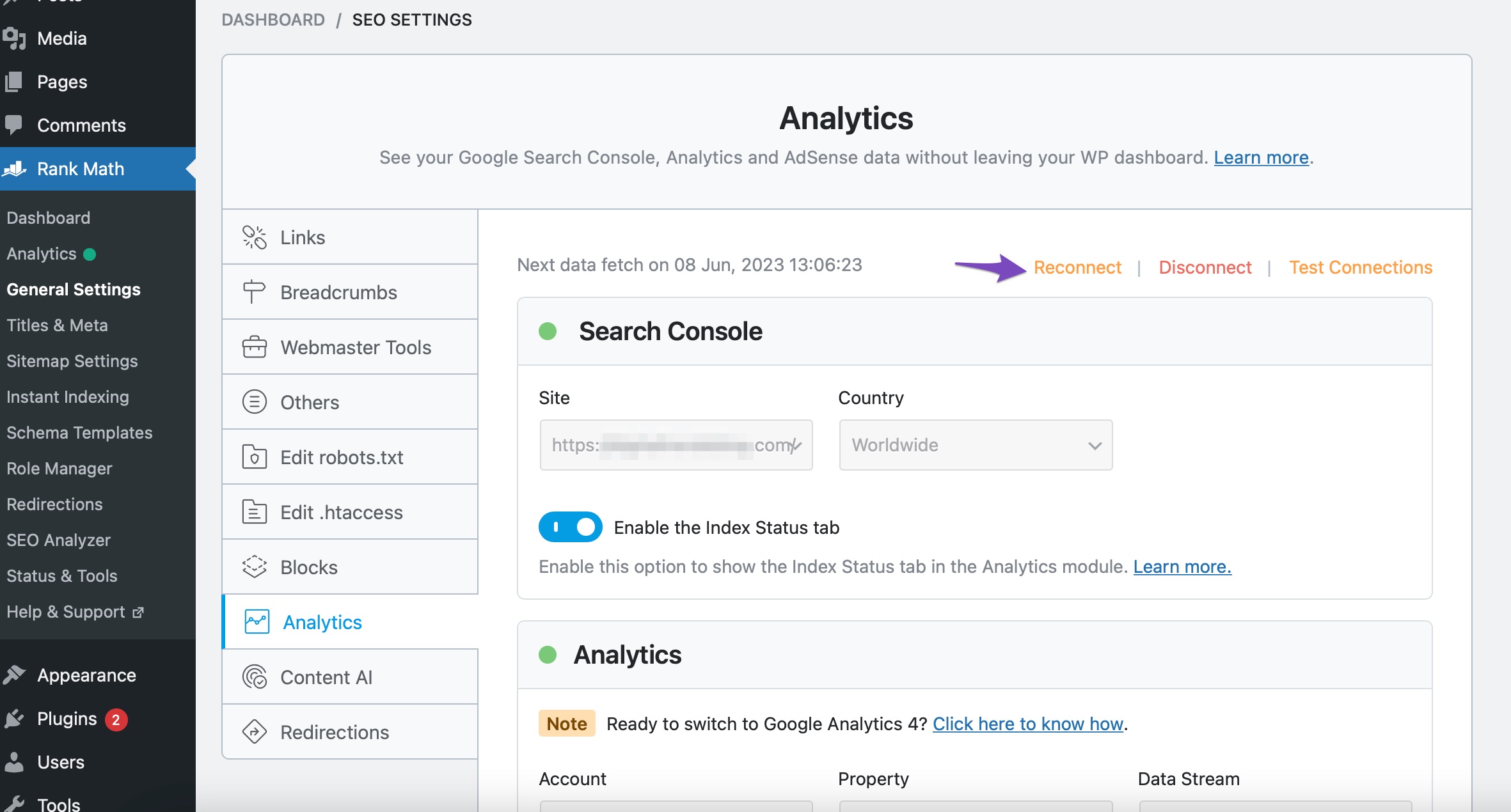
Reconnect Your Google Account: If you see a red signal, try reconnecting your Google account. You can do this by navigating to Rank Math SEO → General Settings → Analytics and clicking on the Reconnect button.
-
Check for Expired Tokens: If the problem persists, it may be due to expired authorization tokens. You can refresh these by removing the Rank Math app from your Google Account permissions and then reconnecting it. Here’s how:
- Go to your Google Account and remove the Rank Math app under Third-party apps with Account access.
- After that, reconnect Rank Math as mentioned above.

-
Check Scheduled Actions: The remark about scheduling recurring actions may indicate that there is a problem with the WordPress cron jobs. You can check if there are any issues with scheduled actions using a plugin like WP Crontrol.
If you have tried these steps and the issue still persists, please reply to this ticket with your site URL, and a human agent from our support team will assist you further. Thank you for raising this concern!
Sources:
Resolving Rank Math Analytics Related Issues » Rank Math
What to Do When Rank Math Analytics Shows Zero Search Traffic » Rank Math
Tried all of this. Didn’t work. Also looked at the crons and i see an error in there on the fetch job: action failed via Admin List Table: Scheduled action for rank_math/analytics/data_fetch will not be executed as no callbacks are registered
Not sure what to do with that. While debugging i cancelled the crons, so might need to re schedule them.
More info that might be useful: it’s a multi site and i have limited access to things.
Hello,
Thank you for contacting us and sorry for any inconvenience that might have been caused due to that.
The correct way to use our plugins on a multisite setup is to install them on the network but only activate them on specific subsites.
If you have activated the free and the PRO version of the Rank Math plugin on the network, please deactivate them on the network and then activate them on the subsites.
If the issue still persists, then please head over to your subsite’s WordPress Dashboard > Rank Math > Dashboard > Help, and from there disconnect and reconnect your Rank Math account and see if that helps to resolve the issue.https://rankmath.com/kb/installing-rank-math-on-a-multisite-environment/
If that doesn’t help please navigate to WordPress Dashboard > Rank Math SEO > Status & Tools > System Status > Copy System Info to Clipboard and paste it in the sensitive data section so we can check further.
Looking forward to helping you.
Hello,
Since we did not hear back from you for 15 days, we are assuming that you found the solution. We are closing this support ticket.
If you still need assistance or any other help, please feel free to open a new support ticket, and we will be more than happy to assist.
Thank you.



