Hello, we apologize for the issue you are facing with the connection in Rank Math Analytics. This error typically indicates a problem with the CRON jobs on your website, which are necessary for scheduling tasks like fetching analytics data.
Here are some steps you can take to troubleshoot and resolve this issue:
1. Check CRON Issues
2. Install WP Crontrol Plugin
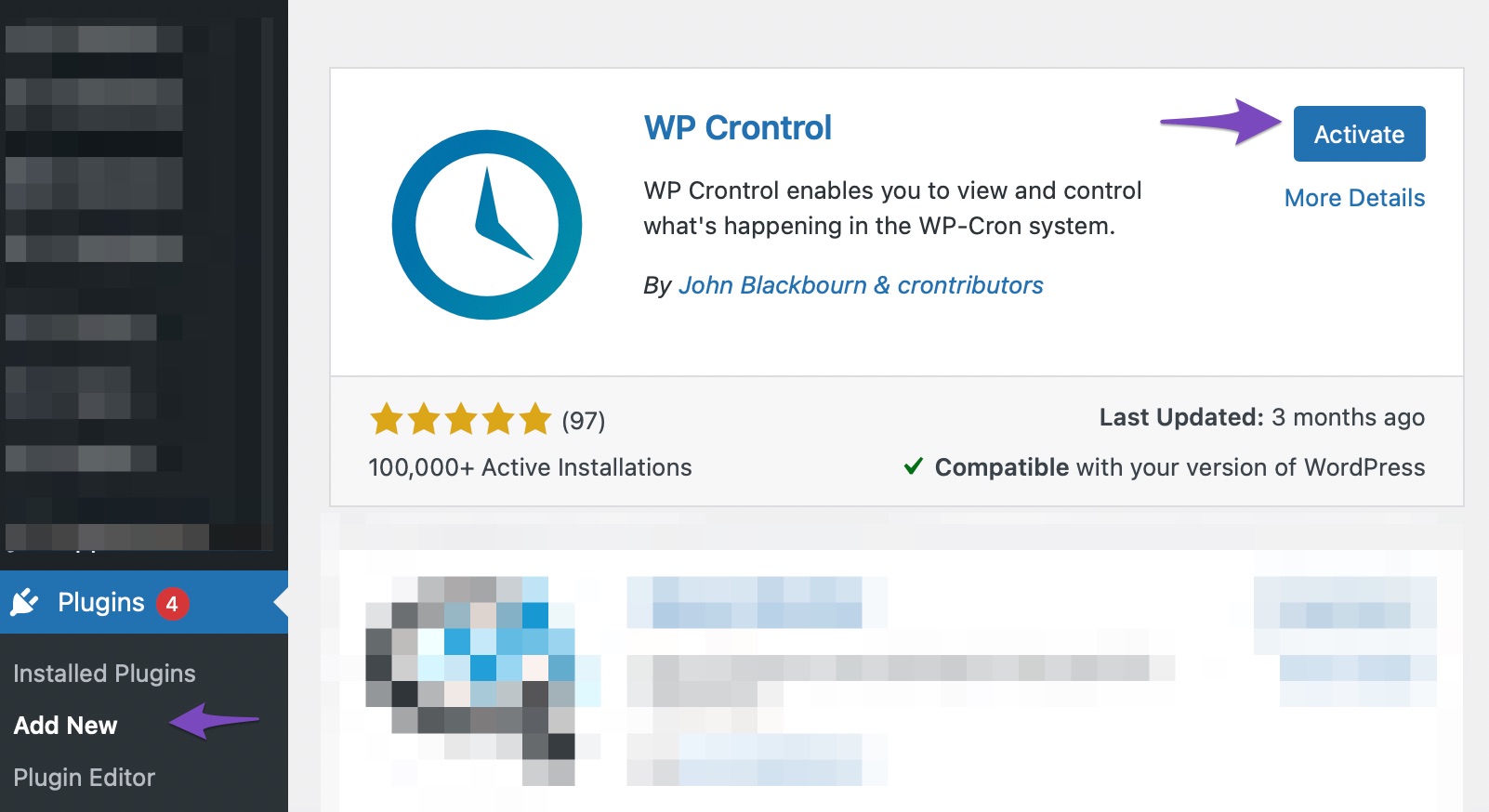
- To identify any CRON issues, install and activate the WP Crontrol plugin from the Plugins → Add New section in your WordPress dashboard.
3. Navigate to Cron Events
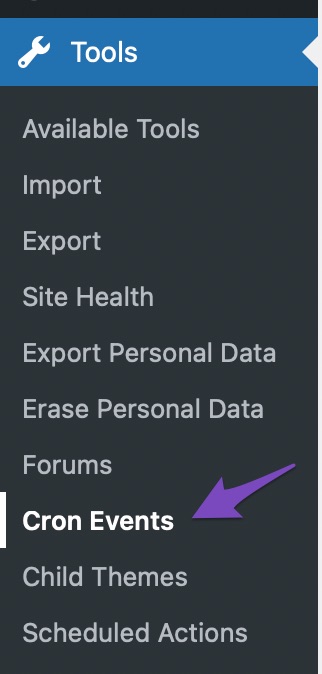
- After activation, go to Tools → Cron Events in your WordPress dashboard to check the status of your CRON jobs.
4. Check for Errors
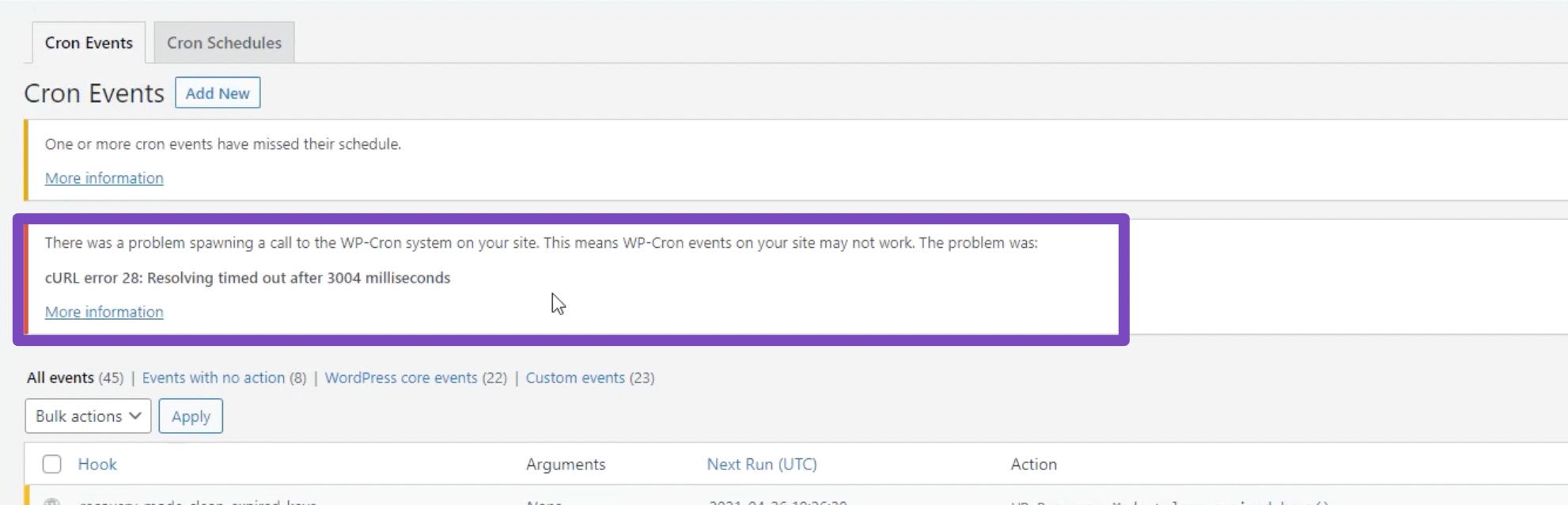
- Look for any errors that might be preventing WP-Cron from running successfully. If you see any errors, click on the "More Information" link for details.
If the issue persists after following these steps, please reply to this ticket with your site URL, and a human agent from our support team will assist you further. Thank you for raising this concern!
Sources:
Resolving Rank Math Analytics Related Issues » Rank Math
Resolving Rank Math Analytics Related Issues » Rank Math
Hello,
Thank you for your query and we are so sorry about the trouble this must have caused.
Rank Math’s Analytics feature relies on scheduled actions (WP-Cron) to fetch and process your data. If WP-Cron isn’t running correctly, it can cause the error message you’re seeing in the Analytics dashboard.
Please follow the steps in this guide to check and resolve any cron-related issues on your site: https://rankmath.com/kb/analytics-issues/#num-1-3-check-cron-issues
Once WP-Cron is working properly, the Analytics data should start syncing without errors.
If you continue to experience issues after following the guide, please let us know, and we’ll be happy to investigate further.
Hello,
Since we did not hear back from you for 15 days, we are assuming that you found the solution. We are closing this support ticket.
If you still need assistance or any other help, please feel free to open a new support ticket, and we will be more than happy to assist.
Thank you.



